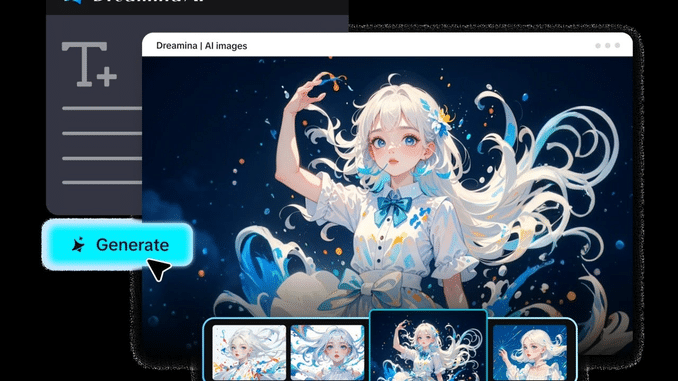
A video idea can seem like a great idea in theory, but hard to pull off. While static mood boards document a moment, written proposals are foundational to intentions. These materials can be interpreted differently by clients, producers, and collaborators. Dreamina AI works to fill this gap in communication by converting written descriptions into initial video scenes. These are visual sketches that help to make creative discussions more real before hitting the camera. They also assist teams in brainstorming ideas without having to make upfront investments in locations, equipment, or production timelines. But generated previews are not guarantees of a finished product — they are just a way of saying artistic direction.
Turn Abstract Creative Ideas Into Visual Evidence
Creative ideas often evoke atmosphere, motion, setting, and feelings that cannot be expressed in words. These descriptions can also be transferred into moving visuals by text to video technology for the benefit of collaborators to understand the intended experience. Dreamina AI allows creators to experiment with different meanings and choose the one that resonates most with them. Comparing drafts gives insight into how lighting, camera movement, composition, and pacing are affecting the concept. Preliminary scenes can also illustrate transitions, dramatic emphasis, and progression of a story. Having a common point of reference in a visual format helps to focus and make discussions more practical. As a point of note, concept approval is different from production approval, and the footage created may not be sufficient to determine all technical and logistical needs.
What Makes a Text-to-Video Pitch Draft Convincing?
A good pitch draft conveys a clear idea and not just pretty pictures. Start with a single product benefit/ message/ story moment that the viewer should know. Select shots that illustrate this concept rather than show unnecessary action. The lighting, color palette, composition, and atmosphere are consistent to create recognisable artistic direction. Explain expressive movement such as subject movement and camera movement to convey emotion. Dreamina AI offers detailed prompts and reference controls, enabling users to experiment with their ideas. Vary one significant variable at a time to see how it affects the output. Clearly label visuals generated to differentiate concept previews from confirmed production assets.
Steps to Pitch Smarter Using Text-to-Video Drafts
Step 1: Open Dreamina and frame your pitch idea
- Sign up or log in to Dreamina first, so you can start your pitch.
- Go to the “Create” tab in the left menu and select the “AI video” option.
- Later, enter a detailed text prompt describing how your pitch video should look and feel. Add details on video elements, sound, background, theme, and concept to sell your idea clearly.
Step 2: Pick a model, set specs, and build the draft
- Next, choose a model from the options present at the bottom of the dialogue box.
- Pick a model such as Dreamina Seedance 2.5 or Dreamina Seedance 2.0 for pitch drafts. Dreamina Seedance 2.0 Fast, Dreamina Seedance 2.0 Mini, and Dreamina Seedance 1.0 are other options.
- Click on “Omni reference” to guide the AI with multiple reference images for accurate results.
- Select a custom aspect ratio and resolution from the “Aspect ratio” and “Resolution” tabs below.
- Finally, click on the “Generate” tab to begin creation of your first pitch preview clip.
Step 3: Polish the preview and save it for the pitch
- If the draft misses your vision, you can “Edit prompt” or “Regenerate” to refine the results
- You can also edit the generated video using the “Edit video” option before your meeting.
- Moreover, you can use “Edit segment” to edit only one weak part of the video.
- Use “Extend video” to lengthen your draft when the story needs a little more time. You can improve your video quality using “Creative upscale” for a sharper, more polished presentation.
- Dreamina gives you complete freedom to edit your pitch video the exact way you like.
- Finally, click on the “Download” tab present on the top right of the Dreamina interface. This saves the video file on your local device, ready to show your pitch audience.
Five Ways to Make a Pitch Draft Communicate More Clearly
- Opening Image: Start with a familiar subject, setting, or visual action to set the central idea.
- Mood Demonstration: Employ intentional lighting, colors, atmosphere, and movement to convey the desired emotional experience.
- The Signature Moment: Identify one moment of reveal or action that sets the concept apart from other creative approaches.
- The Visual Comparison: Show different treatments with the same subject matter so that differences in composition, tone, and lighting are more readily apparent.
- Narrative Progression: Sequence chosen scenes appropriately, demonstrating how the setup leads to the payoff.
- Production Boundary: Identify elements that should be verified or filmed out of the way or with specialist effects or licensing prior to production commitments.
From Generated Preview to a Presentation-Ready Pitch
Place clips around the central argument in the pitch, rather than by order of generation. Include short captions to describe the scene and its importance. Include a synopsis, intended audience, creative rationale, and production requirements with the visuals. Precise timing, transitions, typography, narration, and presentation sequencing can be provided by external editing software. While Dreamina AI provides visual content, a compelling pitch demands careful structuring. Make a clear separation of generated footage, licensed materials, planned live action footage, and confirmed production elements. Look at each scene and see if it addresses a creative question.
Common Pitch-Drafting Mistakes and How to Avoid Them
Too much information can be distracting and make it harder to see things clearly. Write one main action and supporting details for each prompt. Don’t mistake visual polish for production feasibility since you cannot determine actual costs, equipment requirements, or filming conditions with generated scenes. Attention needs to be paid to continuity as well since characters, props, environments, and lighting can change from one generation to the next. Images can be used as references when consistency is needed, but all of the chosen clips will require checking. Produce drafts to answer specific questions rather than making endless variations. Make the presentation succinct, and verify independently the facts, product information, locations, etc. that are represented.
Conclusion
Dreamina AI assists creators in visualising their concepts, aiding in more effective pitches and early creative choices. Careful prompting, comparison, and refinement can be used to identify the direction that most effectively conveys the idea. Arrange the best scenes into a logical sequence, describe what they are, and pinpoint excellent production needs. Use generated footage as a planning tool and not as evidence of final feasibility. This structured process facilitates the discussion of ambitious ideas prior to investing significant production resources
Dejar una contestacion